- Brands Logos
- Logo Templates
- Icons
- Vectors
- Font In Logos
- Blog
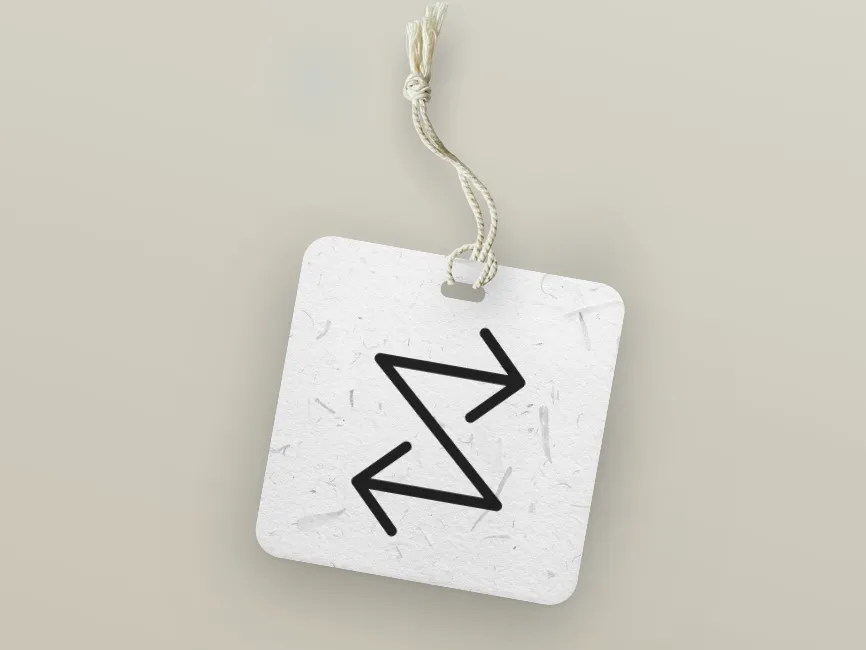
This icon showcases a zigzag directional flow, composed of two opposing arrow shapes—one pointing right at the top and the other pointing left at the bottom—connected by a strong diagonal stroke. The arrows are rendered in bold lines with rounded terminals, ensuring visibility and smooth aesthetics. The diagonal element running from top right to bottom left creates a sense of dynamic interaction, bidirectional exchange, and workflow transition.
The opposing arrows convey inbound and outbound flow, making this icon particularly effective for systems involving data transfer, sync operations, or input/output processes. The structure is minimal yet expressive, functioning equally well in motion graphics or static UI components.
This versatile vector icon is available as a free download on Logowik.com and provided in multiple design-friendly file formats:
SVG (Scalable Vector Graphics) – perfect for responsive web interfaces and mobile apps. SVG files are resolution-independent and easy to manipulate via CSS or JavaScript.
PNG – useful for quick deployment in interfaces, presentations, and documentation where transparency and quality are needed.
AI (Adobe Illustrator) – ideal for vector-based customizations, allowing designers to adjust stroke weights, angles, and proportions.
PDF – excellent for inclusion in print or high-resolution design systems, especially in documentation or instruction manuals.
Each format serves a different creative purpose. For instance, SVG is best for UI integration, while AI allows in-depth editing and refinement.
This dual arrow icon is highly applicable across a variety of digital products and design systems, particularly where interchange, sync, or flow direction must be visually communicated. It fits perfectly in:
Cloud storage platforms indicating upload and download synchronization
File transfer interfaces between devices or users
Process automation tools showing bidirectional data movement
Music or video editing software denoting input/output channels
Workflow diagrams indicating reversibility or circular logic
IoT dashboards for signaling communication between systems
SaaS dashboards to visually describe input and result flow
Data visualization platforms mapping dynamic change or movement
Its intuitive shape helps guide users by clearly marking where processes begin, reverse, or connect.
The opposing arrows clearly define directional logic, critical for workflow and UX clarity
The diagonal connector implies motion and energy, ideal for animated states
The rounded corners create a friendly, modern appearance aligned with current design trends
Can be rotated or flipped for use in vertical flow diagrams or mirrored UIs
Offers opportunities for micro-interactions, such as hover animations that reverse the flow
This icon can be seamlessly adapted into a brand system that values precision, connectivity, and system interaction. Its clean geometry and high adaptability make it suitable for design libraries, icon systems, or as a logo icon for tech or automation-focused companies.
This bidirectional flow icon, with its dynamic dual arrow design, is ideal for digital tools involving synchronization, system communication, or workflow mapping. Offered as a free download in SVG, PNG, AI, and PDF formats on Logowik.com, it’s a flexible vector icon perfect for SaaS dashboards, UX interfaces, and automation visuals. Whether used as a SVG logo or embedded in an app, this icon’s clean angles and directional clarity make it an essential part of any modern interface or brand system focused on interaction, efficiency, and data transfer.